Outlook: Modular Packaging Lines for Scalable Capacity
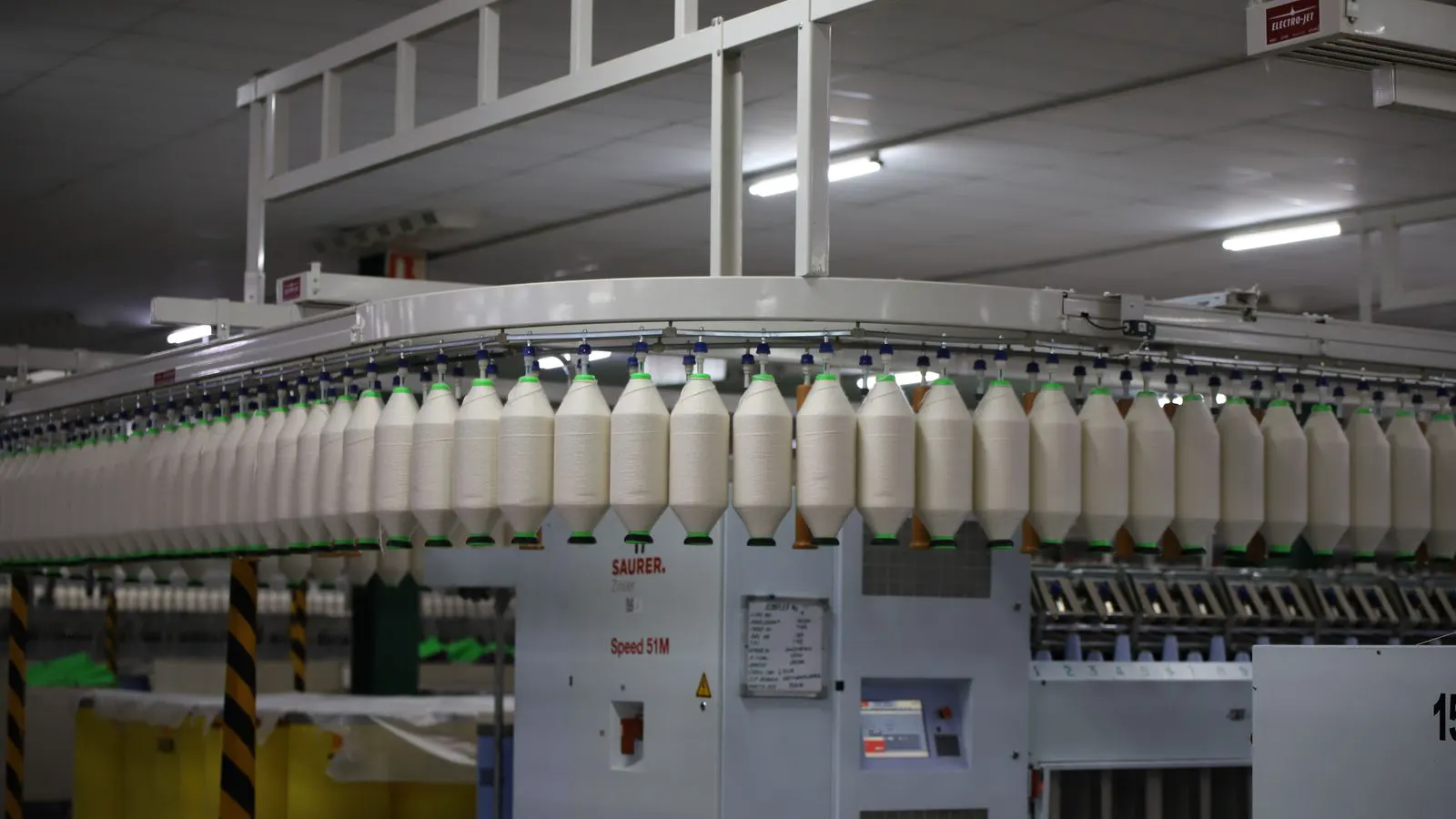
Modular packaging lines support production capacity by allowing staged machine additions. This approach reduces upfront capital risk. Buyers should plan for footprint, utility, and control system expansion from day one.
- Modular design allows capacity increases without replacing the entire line.
- Plan for utility and control system headroom before the first shift.
- Standardize interfaces to keep future machine handoffs simple.
- Validate footprint and maintenance access during the initial layout phase.
Modular packaging lines are built to grow. The core idea is simple. Instead of buying one large machine that handles all volume, you buy a base system and add units as demand rises. This works well for buyers who cannot predict their exact production capacity needs five years from now.
The challenge is that a modular approach only works if the site was planned correctly. A machine added in year three will struggle if the electrical panel, control logic, and floor space were not reserved for it.
What drives the need for modular capacity?
Demand rarely grows in straight lines. A new customer contract might add a single shift. A seasonal peak might require a weekend run. A product launch might double throughput for three months.
These changes are common. They force a choice. Either the line is overbuilt for the base case, or it is underbuilt and cannot respond without downtime.
Modular design addresses this gap. It lets you keep a lean baseline and add capacity when the numbers justify it. The key is treating each module as a self-contained unit. It has its own drive, its own sensor array, and its own control logic. It can run independently or sync with the rest of the line.
This flexibility changes the financial profile. You are not locking in a large capital expenditure for a future that may not arrive. You are buying in steps. The risk is lower. The timeline to revenue is shorter.
How to structure the base line for future growth
The base line is the foundation. It sets the constraints for everything that follows. If you get the base wrong, every future addition becomes a retrofit problem.
Start with the control system. This is the most common oversight. A basic PLC or HMI might handle the initial modules. It will not handle the logic required when you add a second or third unit. You need a controller with spare I/O points. You need a network architecture that supports multiple nodes.
The physical layout matters just as much. Leave physical space for future modules. Do not build a wall right next to the end of the line. Do not run the conveyor into a corner. Leave a clear aisle for forklifts and maintenance carts.
The utility infrastructure follows the same rule. Electrical panels need spare breakers. Pneumatic headers need spare ports. Water and waste lines need access valves. If these are not planned, the cost to add them later is higher than planning for them now.
Practical shifts buyers should plan for
Buyers should not guess their future needs. They should map out specific shifts in operation. A “modular” plan is not a vague hope for growth. It is a list of defined scenarios.
-
The steady state shift. This is the baseline. The line runs at 100 percent of its initial design speed. The team is trained. The process is stable.
-
The peak shift. This happens during seasonal spikes or promotional periods. The line runs at 120 to 140 percent of baseline speed. You might add a module or run a second shift.
-
The product change shift. A new SKU is introduced. It requires a different fill volume or label size. The line must reconfigure quickly. Downtime must be under one hour.
-
The maintenance shift. A module fails or needs a major service. The rest of the line must keep running. This requires a bypass or a parallel path.
-
The expansion shift. A new contract doubles the required output. You activate the pre-planned second module. The line goes from one unit to two.
-
The integration shift. A new upstream or downstream machine is added. The control system must hand off data and signals without manual intervention.
Mapping these shifts helps you size the base line correctly. It also helps you identify which utilities and controls need headroom.
How to prepare the site for expansion
Preparing the site is a physical task. It involves floor space, utilities, and access.
Floor space is the first constraint. A modular machine is not just a box. It needs service clearance. It needs space for operators to load and unload. It needs room for a palletizer or a case packer downstream.
The floor itself needs to support the load. Check the slab rating. If the new module is heavier than the base, the floor might need reinforcement. This is a structural engineering issue. It cannot be fixed after the machine is delivered.
Utilities are the second constraint. Electrical, pneumatic, and data lines need to be routed before the first module is installed. If you bury conduit or run cable trays, leave spare length. If you run pneumatic lines, leave spare ports.
Access is the third constraint. Future modules will be delivered in large crates. They will need to be lifted onto the floor. You need a crane, a forklift, or a hoist. You need a clear path from the loading dock to the line. If the building layout does not allow this, the delivery will be a problem.
A table of common expansion scenarios
The table below shows how different expansion scenarios affect the line. This is a qualitative view. The exact numbers depend on the machine type and the product.
| Scenario | Capacity Impact | Key Resource Needed | Primary Risk |
|---|---|---|---|
| Add second module | 100 to 150 percent increase | Spare electrical panel, control logic | Synchronization errors |
| Add weekend shift | 50 to 100 percent weekly increase | Operator training, shift management | Fatigue, error rates |
| Add new product | No capacity change | Changeover tooling, recipe data | Downtime, quality drift |
| Add downstream packer | No capacity change | Conveyor extension, space | Bottleneck at the end |
| Add upstream feeder | No capacity change | Buffer space, control logic | Starvation, jamming |
The table highlights a key point. Adding a module is not the only way to increase throughput. Sometimes the bottleneck is elsewhere.
How to validate the control system headroom
The control system is the nervous system of the line. If it is weak, the line will not scale.
Check the PLC model. Look at the I/O count. A typical module might use 20 to 30 points. If you are planning for three modules, you need at least 90 points. Add a buffer. You want 120 points.
Check the HMI. The screen must show the status of all modules. It must allow the operator to start and stop individual units. It must log errors for each unit.
Check the network. The control system should use a fieldbus or an industrial Ethernet. Avoid proprietary serial links. They do not scale well.
The control system also needs a backup. If the main controller fails, the line stops. A redundant controller or a local override mode can keep the line running during a failure.
How to avoid common mistakes in modular planning
Most modular line failures are planning failures. They are not mechanical failures.
The first mistake is buying the base line without a future plan. The second mistake is ignoring the utility layout. The third mistake is underestimating the control system.
Buyers often think the machines are the hard part. They are not. The hard part is the integration. The machines must talk to each other. They must share a common clock. They must handle a jam in one module without stopping the others.
The fourth mistake is not training the team. A modular line is more complex. It has more parts to check. It has more settings to tune. The operators must know how to handle a fault in module two without affecting module one.
The fifth mistake is not documenting the layout. Draw the floor plan. Mark the utility locations. Mark the control panel locations. Keep this document with the machine manuals. When you add a module, you need to know exactly where to plug in.
How to measure success after expansion
After you add a module, you need to know if it is working. Do not guess. Measure.
Track the line speed. Compare it to the baseline. If the speed drops, there is a bottleneck.
Track the changeover time. If it takes longer to switch products, the line is not modular enough. The modules should be independent.
Track the error rate. If errors increase, the control system is not handling the load.
Track the maintenance time. If you spend more time fixing the line than running it, the design was wrong.
These metrics should be reviewed after every shift. They should be reviewed after every expansion. They are the only way to know if the production capacity plan is working.
Final thoughts on scalable capacity
Modular packaging lines are a tool for managing uncertainty. They let you grow without betting the company on a single machine.
The key is to plan from day one. Leave the space. Run the conduit. Buy the controller with headroom. Train the team.
When you do this, the line becomes a platform. You can add capacity when you have it. You can remove it when you do not. You can change the product without changing the line.
This is the value of modular design. It is not about buying more machines. It is about buying the right system for the life of your business.
Frequently asked questions
What is the biggest risk in a modular packaging line?
The biggest risk is poor planning of utilities and control systems. If the electrical panel or PLC is not sized for future modules, the line will hit a ceiling quickly.
How do I know if I need a modular line?
You need a modular line if your demand is uncertain or if your product mix is changing. If you have a stable, high-volume single product, a single large machine might be better.
Can I add a module later without stopping the line?
It depends on the design. A well-planned line can add a module during a scheduled downtime window. A poorly planned line may require a full shutdown.
What is the role of the control system in a modular line?
The control system manages communication between modules. It handles synchronization, error handling, and operator input. It is the most critical part for scalability.
How much space do I need for future expansion?
You need enough space for the module itself, plus service clearance. A general rule is to leave at least 30 percent more space than the module size to allow for maintenance and material flow.