How to Set Up Palletizer Pallet Tracking Systems
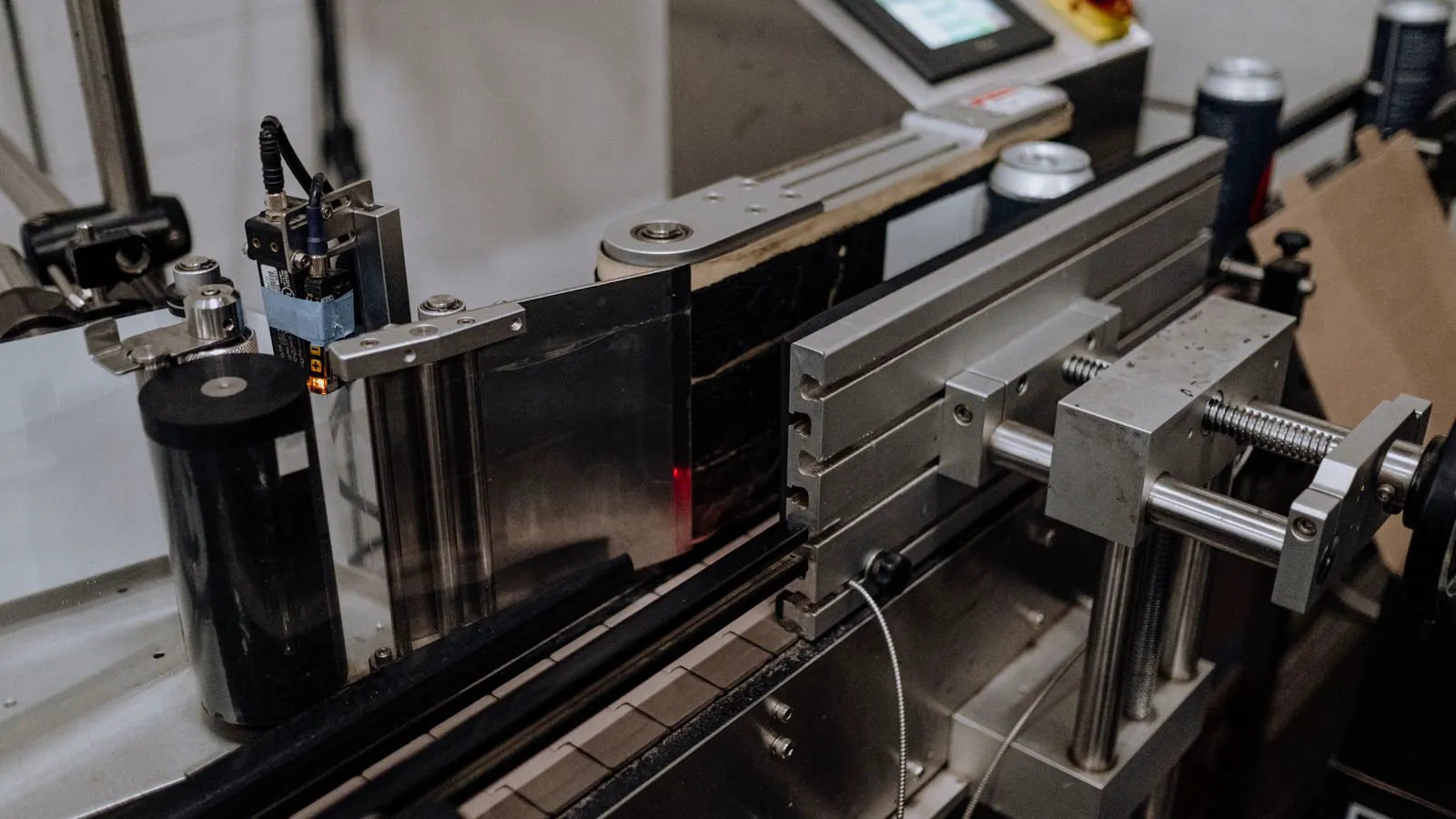
A palletizer pallet tracking system links each completed pallet to your warehouse management system. This guide covers the hardware, software, and physical setup needed to ensure every pallet is scanned, verified, and logged accurately at the end of the line.
- Select the right identification method based on your case stacking pattern and line speed.
- Verify that your palletizer PLC can output the unique ID before the pallet leaves the build zone.
- Test the full loop by scanning a pallet in the warehouse and confirming the data matches the production log.
Understanding the Data Flow
A palletizer pallet tracking system works by creating a digital link between the physical load and the inventory record. Before you install a single sensor, you need to understand where the data originates and where it ends up. The process usually starts in the palletizer controller, which calculates the pallet ID based on the job parameters. This ID might be generated from a batch number, a timestamp, or a sequence counter.
The controller assigns this identifier to the active job in its internal memory. Once the palletizer completes the stacking cycle, the ID must travel to a reader station. From there, it moves to the warehouse management system, or WMS, where the pallet is assigned to a location. If the ID is missing or corrupted, the WMS rejects the pallet. This creates a bottleneck. You need a clear path for the data.
The ID is not just a label. It is a key to the entire production history. It tells the warehouse exactly what product is on the pallet, how many cases, and when the pallet was built. Without this link, you cannot trace a recall, manage FIFO rotation, or verify shipment accuracy.
Consider a standard beverage line. The palletizer controller holds the batch number for the current run. When the first pallet is built, the controller generates a unique ID derived from that batch. The reader captures this ID as the pallet leaves the staging area. The WMS links the ID to the specific storage bin. If a quality issue arises later, you can pull the WMS log and see exactly which pallets were built during that batch window.
Choosing the Identification Method
The method you choose depends on your product and your line speed. There are three common approaches.
| Method | How it Works | Best For | Limitation |
|---|---|---|---|
| Laser Engraving | A laser etches the ID onto a label or case. | High-speed lines with stable case patterns. | Requires a dedicated laser head and power supply. |
| Thermal Transfer | A thermal printer applies a label with the ID. | Mixed products or variable case sizes. | Labels can peel if the adhesive is weak. |
| RFID Tags | An antenna reads a radio frequency tag on the pallet. | Heavy pallets or multi-layer stacks. | Requires an open metal environment for clean reads. |
Laser engraving is fast but permanent. If the case pattern changes, you may need to recalibrate the laser. This method works well when the case size and material remain constant throughout the shift. The laser head must be positioned close to the case surface. Dust on the lens can ruin the read. You need a compressed air line to keep the lens clean. The process is quick, but if you switch to a different case design, the engraving depth and width must be adjusted.
Thermal transfer is flexible. It works well if you pack different SKUs on the same line. A thermal printer applies a label with the ID. This is useful for variable case sizes. However, labels can peel if the adhesive is weak. Heat and moisture in the production environment can degrade the bond. Choose a high-temperature adhesive for hot lines. The printer must be fast enough to print while the case moves on the conveyor.
RFID is useful when you need to read the pallet without opening a case. An antenna reads a radio frequency tag on the pallet. This works well for heavy pallets or multi-layer stacks where a visual line of sight is blocked. However, metal cases can block the signal. Water in the product can also interfere. You must test the read range with your specific product packaging.
Prerequisites for a Successful Setup
Before you start wiring, check your existing infrastructure. You need a stable power supply for the reader hardware. If you are using a laser, you need a compressed air line for cleaning the lens. If you use a thermal printer, you need a printer driver installed on the palletizer controller.
The palletizer PLC must be configured to output the ID. Many modern palletizers have an open architecture. They can send data via Ethernet, Ethernet/IP, or PROFINET. If your palletizer is older, you may need a communication module. Check the documentation for the specific I/O mapping.
You also need a physical space for the reader. The reader must see the label or tag clearly. If the pallet moves on a conveyor, the reader must be positioned at the correct height. If the pallet is stationary, the reader can be overhead. Measure the pallet travel time. The reader must capture the ID while the pallet is within the field of view.
Inspect the conveyor surface. A rough or reflective surface can cause glare for optical scanners. If you use RFID, check for metal frames on the conveyor. Metal structures can create dead zones. Plan the antenna placement to avoid these areas. You need a reliable network connection. If the reader is networked, ensure the local switch has enough ports. You may need a dedicated VLAN for the tracking system to prevent interference from other plant traffic.
Step-by-Step Implementation Guide
Follow these steps to install the tracking system.
- Define the ID Structure. Decide how the ID will be formatted. For example, use a date, a shift code, and a sequence number. Keep it short. A 12-character ID is usually enough. Avoid special characters that may not print or scan correctly.
- Configure the Palletizer PLC. Set up the output tag for the pallet ID. Link this tag to the job selection screen. When an operator selects a product, the PLC should generate the next ID in the sequence. Test this locally before connecting to the WMS.
- Select the Reader Hardware. Choose a scanner, laser, or RFID reader based on your method. Ensure the reader can read the ID type you chose. For example, a laser scanner cannot read a thermal label if the label is too small.
- Install the Reader. Mount the reader on a bracket. Align it with the target area on the pallet. Use a test label to verify the read quality. Adjust the focus and lighting if the read rate is low.
- Connect to the Network. Wire the reader to the palletizer PLC or a local server. If you use a networked reader, assign it a static IP address. Configure the data packet format. Most readers can send the ID as a string or a binary code.
- Integrate with the WMS. Set up the receiving endpoint in the WMS. The WMS should accept the ID, look it up in the production database, and create a pallet record. Test this with a single pallet. Verify that the WMS shows the correct product and quantity.
- Add Error Handling. What happens if the reader fails? Add a fallback. If the read fails, the line should stop or divert the pallet to a manual station. Do not let the pallet move on with a missing ID.
When defining the ID structure, consider the length. A long ID takes more time to print and scan. Keep it short. Avoid characters like slashes or dashes if they cause parsing errors in the WMS. Test the ID format in the WMS before you print any physical labels.
Common Mistakes to Avoid
Operators often skip the calibration step. A reader that works on a test label may fail on a real pallet. The label may be slightly off-center, or the lighting may be different. Calibrate the reader with real production cases.
Another mistake is poor physical placement. If the reader is too close, it may not see the whole label. If it is too far, the resolution drops. Use the manufacturer’s recommended distance. Also, ensure the pallet does not move before the read is complete. If the pallet accelerates, the read may fail.
Finally, do not ignore the software side. The WMS must be configured to accept the new data type. If the ID format changes, the WMS must update its validation rules. A mismatch between the palletizer and the WMS is a common cause of tracking failures.
Check the label placement. If the label is applied to the corner of the case, the reader must be angled to see it. If the label is on the side, the reader must be perpendicular to the case. Test the read at different pallet heights. The top case may be out of range. The bottom case may be blocked by the pallet deck.
Ensure the operator knows how to handle a read failure. If the system stops, the operator needs a clear procedure. Do not guess. Provide a printed guide or a display prompt. The operator should know which pallet to divert and where to send it.
Final Verification and Testing
Do not go live with a single test. Run a full verification cycle. Build ten pallets. Scan each one in the WMS. Check that every pallet has a unique ID. Check that the product, quantity, and timestamp match the production log.
Verify the error handling. Block the reader with a cardboard box. The system should trigger an alarm. The palletizer should stop or divert the pallet. Test the recovery. Remove the box. The line should resume.
Document the setup. Record the IP addresses, the PLC tags, and the reader settings. If the system fails in six months, you need a reference. Keep a copy of the network diagram and the configuration files.
Run the test during peak production. Build pallets at full speed. Check the read rate. If the read rate is below 99 percent, investigate. It may be a lighting issue, a timing issue, or a label placement issue. Adjust the system until the read rate is stable.
Test the WMS lookup. If the ID is not in the production database, the WMS should reject the pallet. Test this scenario. Block a pallet with an invalid ID. The WMS should flag it for review. Do not let invalid pallets move to storage.
Check the audit trail. Log every read and every failure. Review the logs after a few days of production. Look for patterns. If failures occur at a certain time of day, it may be a lighting issue. If failures occur at a certain pallet position, it may be a mechanical issue.
Conclusion
A palletizer pallet tracking system is not just a scanner. It is a bridge between production and inventory. Get the data flow right. Choose the right identification method. Test the full loop before you rely on it. When done correctly, every pallet has a name, a history, and a home.
Frequently asked questions
Can I use existing bar code scanners for pallet tracking?
Yes, if the scanner can read the label size and resolution you are using. However, a dedicated industrial scanner is more reliable for high-speed lines.
What if the pallet ID is damaged during transport?
Use a redundant method. For example, print the ID on the pallet and the top case. If the top case label is damaged, you can still read the pallet.
How do I handle mixed pallets?
Use a format that supports multiple SKUs. For example, include a separator character in the ID. The WMS can parse the string to identify each product.
Do I need a server for the tracking system?
Not always. The palletizer PLC can send the ID directly to the WMS. A local server is only needed if you have multiple readers or complex routing logic.
How often should I clean the reader lens?
Check the lens weekly. If the read rate drops, clean it immediately. Dust and plastic film from the line are the main culprits.